Product
URL shortener features
Everything Xlyl can do with a link, and the exact limits that apply. No feature below is on a paid tier — there isn't one.
Shortening a link
Paste a URL and submit. You get a short link back immediately — no account needed, though a link made without one is not counted and has no statistics page. Targets can be up to 2,040 characters, which covers even heavily parameterised campaign URLs.
Custom aliases
Instead of a short random code, choose the ending yourself: yourdomain.com/spring-sale. Aliases are 1 to 64 characters and may contain letters, numbers, hyphens and underscores. Each alias is unique per domain, so the same alias can exist on two different custom domains without clashing.
Branded custom domains
Serve short links from your own domain rather than a shared one — go.yourbrand.com/offer instead of a generic shortener. Recipients can see who sent a branded link before they click it.
You can add multiple domains to one account, and set a homepage for each so anyone visiting the bare domain lands somewhere sensible instead of a 404. Full custom domain setup guide.
Click analytics
Every visit to a link you own is recorded, and only people are counted: crawlers, link previews, scripts posing as browsers, cloud-server scanners and repeat clicks are filtered out and listed separately with the reason. Links made without an account are not counted. Each click is kept as its own row, so a breakdown can be sliced by campaign, channel, device or city rather than only counted.
For each link you can see:
- Total clicks, and a chart over the last day, week or month
- Browser breakdown — Chrome, Safari, Firefox, Edge, Opera, IE
- Operating system — Windows, macOS, Linux, Android, iOS
- Country, shown on a world map
- Referrer, so you can tell which post or campaign actually drove the traffic
A link's click total and its hourly statistics last as long as the link does. Per-click detail — the referrer URL, campaign tags, city and estimated unique visitors — is kept for 365 days, then deleted. The account dashboard aggregates the last 30 days across all your links.
Password-protected links
Put a password on a link and visitors get a prompt instead of an immediate redirect. The target URL is never sent to the browser until the correct password is entered, so the destination cannot be discovered by inspecting the page. Passwords are stored hashed with bcrypt, never in plain text, and must be 3 to 64 characters.
Expiring links
Give a link a lifetime and it stops working — and is removed — once that time passes. Useful for time-limited offers, one-off file shares and anything you do not want living on indefinitely.
Expiry accepts plain durations: 30m, 8h, 7 days, 2 weeks. The minimum is one minute. Expired links, and their statistics, are swept away automatically within a minute.
QR codes
Every link you own has a QR code you can open and download straight from the dashboard, for print, packaging, slides or event signage. The code encodes the short link, so you keep the analytics and can still change where it points after it has been printed.
Editing links after sharing
A short link is not fixed once shared. You can change its target, description, expiry or password at any time, and anyone using the original link is redirected to the new destination. This is the main practical advantage of a shortener over pasting raw URLs: the printed or published link need never become wrong.
A password or an expiry can be set or changed, but not removed once set. The alias is different: renaming it changes the address itself, so the old short link stops working at once and nothing redirects from it. Keep the alias of a shared link and change its target instead.
API access
Links, custom domains and click statistics are available over a REST API, so you can create and manage links from your own application, a deploy script or a bot. See the API guide.
Limits and abuse handling
Link creation on Xlyl has these anti-abuse limits:
- 50 links per account in any rolling 24 hours
- 60 link creations per 15 minutes, counted per account or, without one, per IP address
- a 10 minutes gap between links made without an account from the same address
None of them is a paid-tier limit. Targets are checked against banned domains and hosts, and — when the administrator has configured a Google Safe Browsing key — against known malware and phishing URLs. Anyone can report an abusive link.
What it looks like
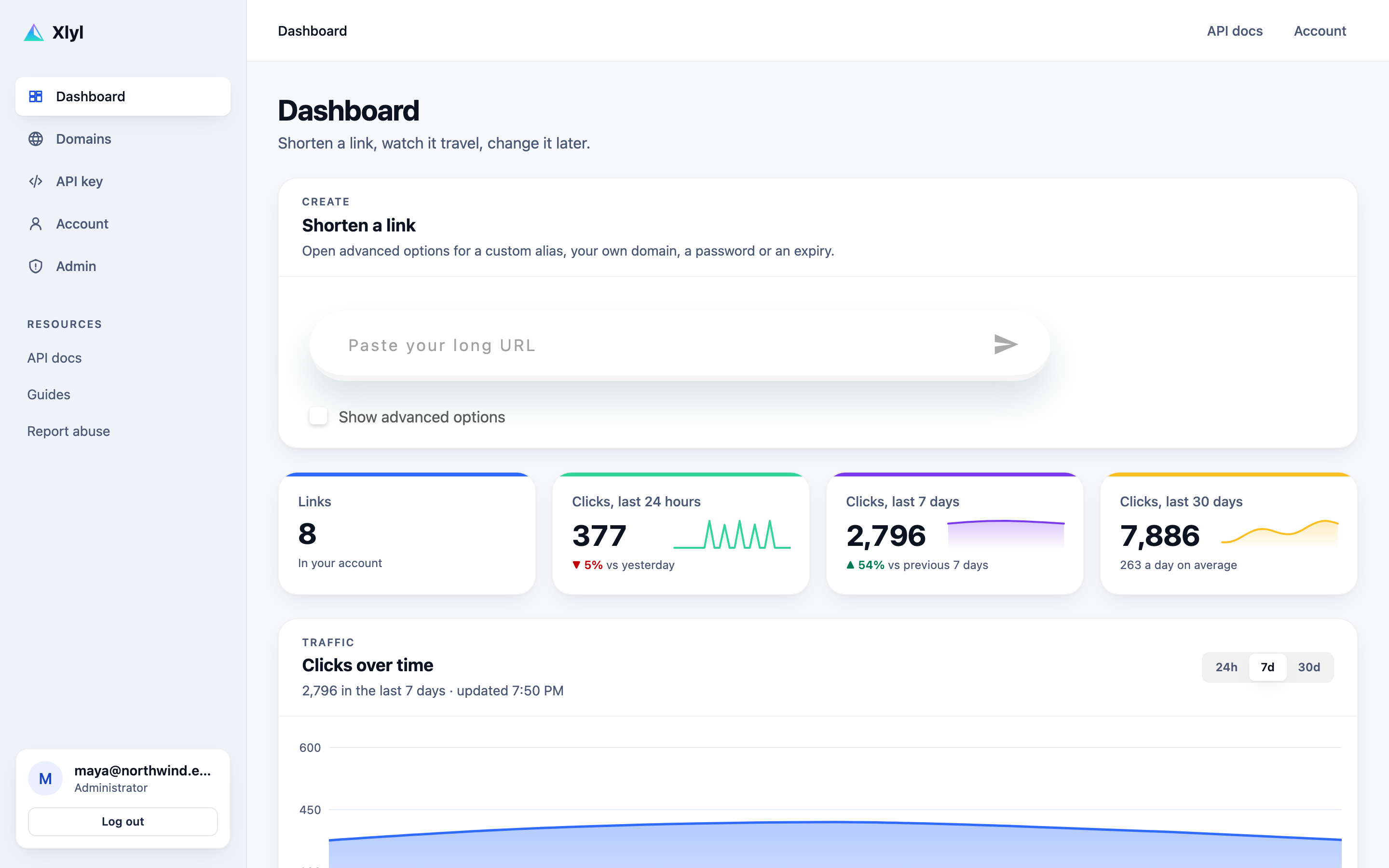
The dashboard is one page: a box to shorten a link, four figures with their trend, a chart of clicks over time, and the table of everything you have made. Each row carries its own actions — copy, QR code, statistics, edit, delete — so the common jobs never need a second screen.
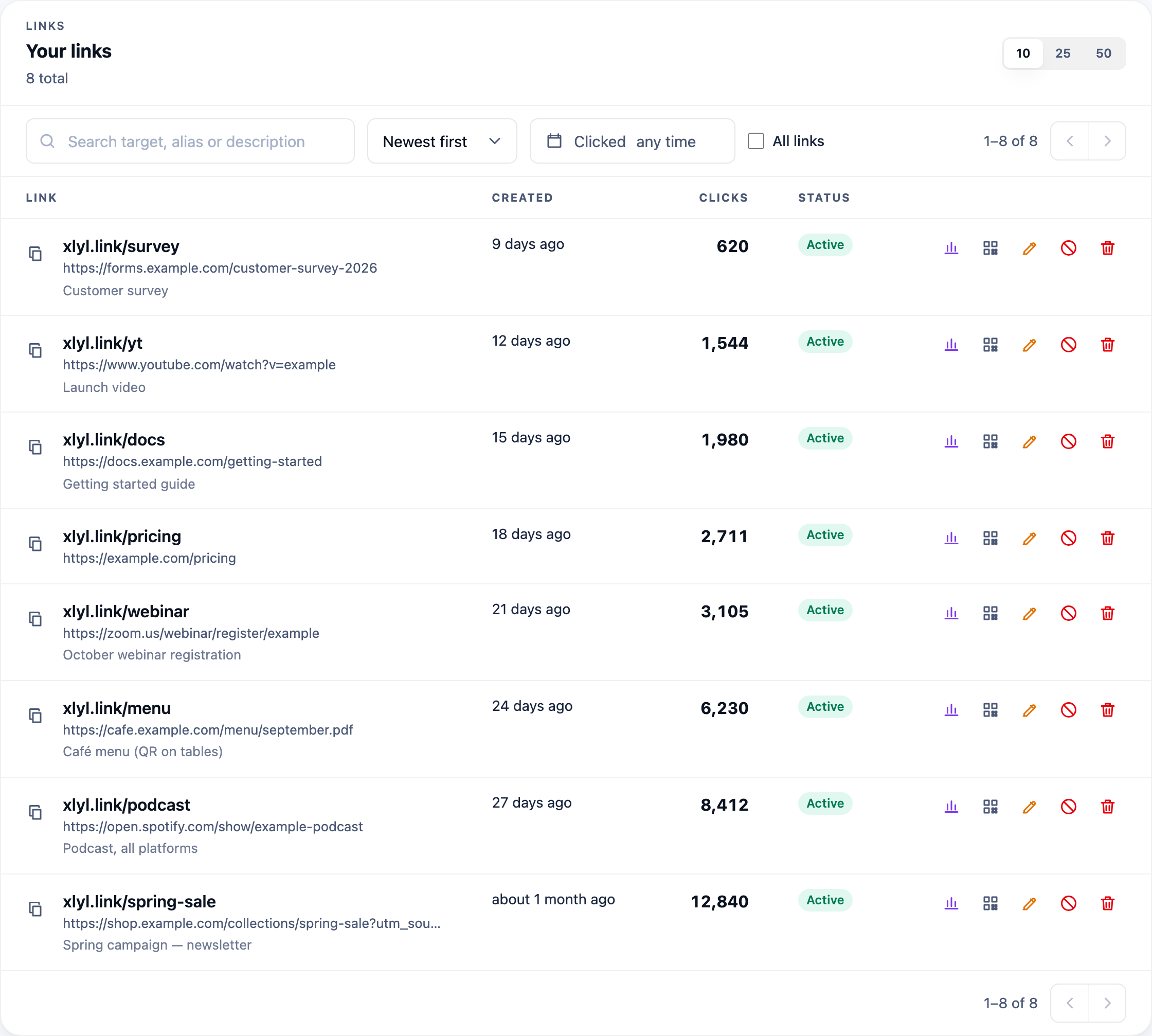
The links table below it searches target, alias and description together, sorts by age or clicks, and filters by the period a link was actually clicked in rather than when it was created — which is the question you usually have when a campaign is running.
Where to go next
Each feature above has a page of its own that goes further than this summary: how custom short links should be named, how to connect your own domain, what click analytics record and deliberately do not, how password protection and expiry behave, what the QR codes encode, and what the API exposes.
If you are weighing this against something you already use, the comparison pages set out the differences that last — and the free-tier page states exactly which limits exist and why.
Frequently asked questions
- Is every feature really free?
- Yes. There is one tier and it includes custom aliases, custom domains, click analytics, password protection, expiry, QR codes and the API. The only limits are anti-abuse ones: 50 links per account in any rolling 24 hours, 60 link creations per 15 minutes, counted per account or, without one, per IP address and a 10 minutes gap between links made without an account from the same address.
- How long can a target URL be?
- Up to 2,040 characters, which comfortably covers campaign URLs carrying a full set of UTM parameters and a click identifier.
- Can I change where a link points after sharing it?
- Yes, at any time, and the short link itself never changes. This is the single most useful thing a shortener does: it means a printed QR code or a three-year-old video description can be repointed instead of reprinted.
- What happens when a link expires?
- It stops resolving and a scheduled job removes it, which frees the alias for reuse. Expiry accepts plain durations such as 30m, 8h or 7 days, with a minimum of one minute.