Product
Custom URL shortener: short links you name yourself
A random code tells the reader nothing. A custom short link — an alias you chose, on a domain you own — tells them where they are going and who is sending them. Here is how to make one.
Random codes versus custom aliases
Paste a URL into any shortener and you get something like xlyl.link/kZHTt5. It works, but it is opaque: nobody can tell what it is, remember it, or say it out loud. A custom link replaces the code with a word you chose — xlyl.link/spring-sale — and, with a custom domain, the whole thing becomes go.yourbrand.com/spring-sale.
A readable link does two jobs a random code cannot: the domain shows who sent it, and the alias says where it goes, so the reader knows what they are clicking. The difference matters most in print, on slides, in podcasts and anywhere the link has to be typed rather than clicked.
How to create a custom short link
1. Sign in
Custom aliases are tied to an account so they can be edited and tracked. Sign up takes an email and a password.
2. Open advanced options
On the homepage, tick “Advanced options” under the URL field. You will see a “Short link” field — the domain, then the ending you choose — and fields for a password, an expiry and a description.
3. Type the alias
Enter the ending you want in “Short link”. Letters, numbers, hyphens and underscores, up to 64 characters. If the alias is already taken on that domain you will be told immediately.
4. Choose a domain (optional)
If you have added a custom domain on the Domains page, pick it from the dropdown at the start of the “Short link” field; the alias is then unique on that domain rather than the shared one. The custom domain guide covers adding one.
Naming custom links well
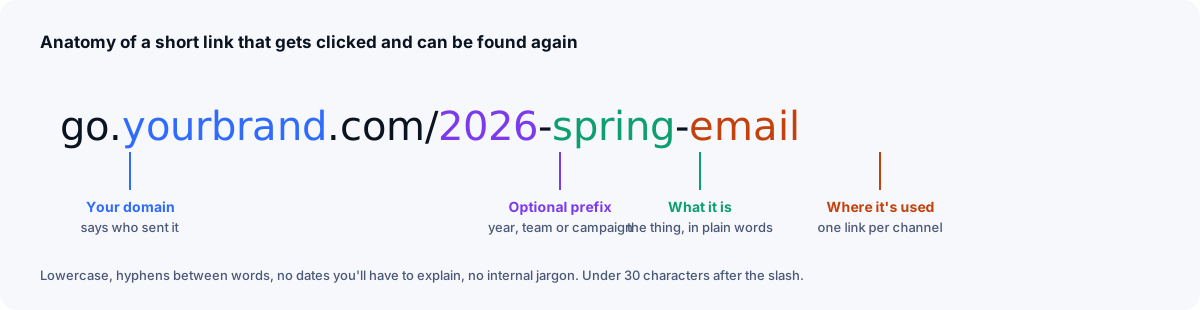
A custom link gets read in places a long URL never does: on a slide, in a podcast, off a printed card. That is the standard it has to meet — a stranger should be able to hear it once, type it correctly, and guess roughly what they will find.
- Say what it is.
/pricingbeats/p1. The reader should know the destination before clicking. - Keep it short and typeable. Lowercase, with hyphens between words — easier to read aloud than underscores — and no punctuation. Aliases are case-sensitive, so mixed case is a typo waiting to happen.
- Avoid look-alike characters. Nobody should have to decide between l and 1, or O and 0; whole words make the problem disappear on its own.
- Use a pattern.
/webinar-jan,/webinar-feb. Consistent naming makes the dashboard searchable months later. - Add a description. It is not part of the link, but it is what you will search for when you need it again.
The naming guide has the full conventions, including how to organise hundreds of links once one person is no longer the only one making them.
Change the destination, keep the link
The strongest reason to use custom links is that they are editable. A printed alias like /menu can point at a new PDF every season; a /signup link on a business card can follow you to a new form tool. Edit the target in the dashboard and every copy already in the world updates instantly, because the short link itself never changed.
In the dashboard
Every link keeps its alias, target and description in one row, all editable, and the table searches across all three — which is how you find a link you made last spring without remembering what you called it.
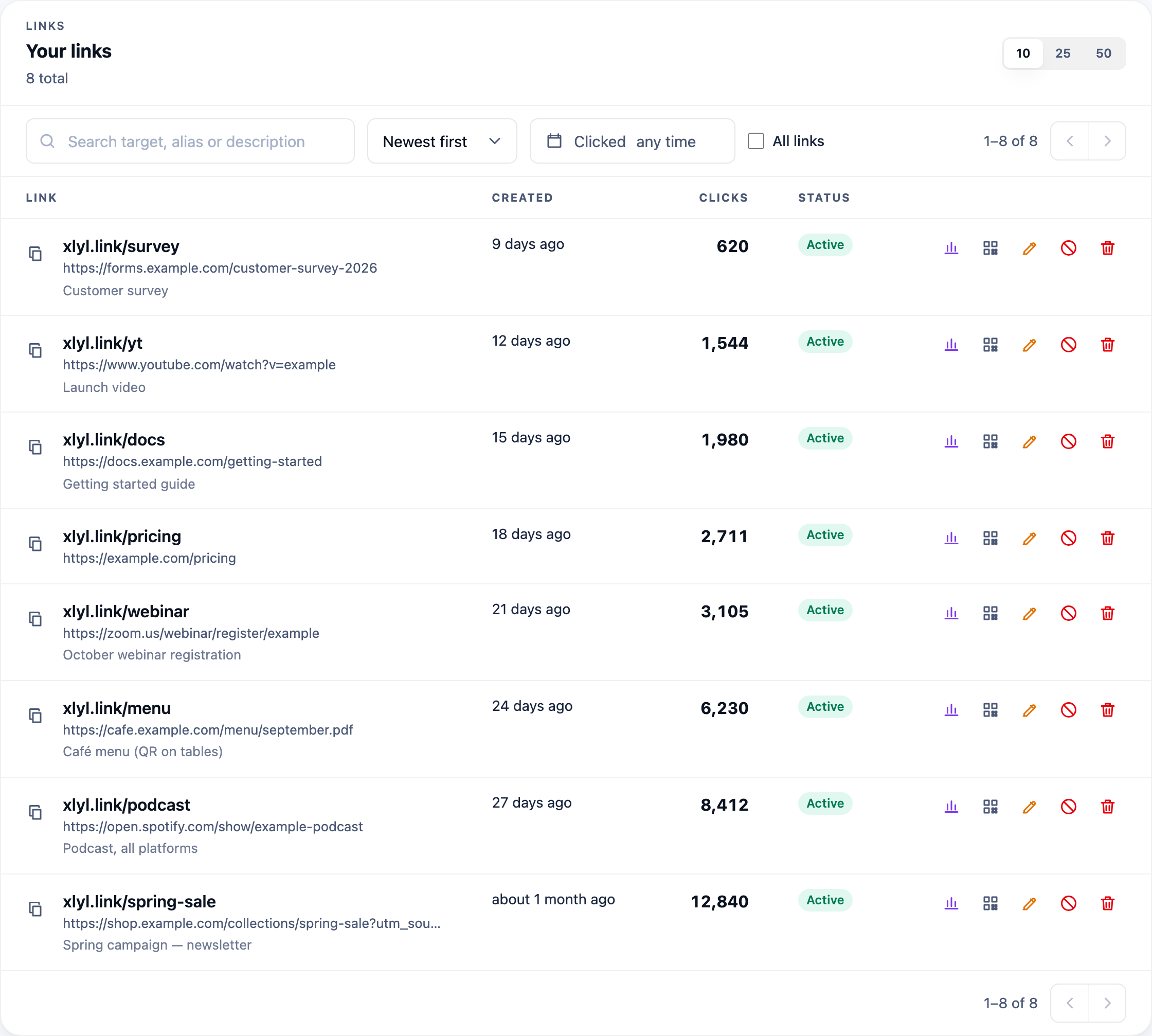
The ending is chosen when you create the link and can be changed afterwards — though changing the alias changes the address: the old short link stops working at once and nothing redirects from it. Once a link is published, the better move is usually to keep the alias and change where it points instead.
Frequently asked questions
- What is a custom short link?
- A short link whose ending you chose — yourdomain.com/spring-sale instead of a random code. The destination can still be changed later without changing the link.
- What characters can a custom alias contain?
- Letters, numbers, hyphens and underscores, between 1 and 64 characters. Aliases are case-sensitive and unique per domain.
- Can two people use the same alias?
- Not on the same domain. On different custom domains, yes — /sale on go.brand-a.com and /sale on go.brand-b.com are separate links.
- Can I change a custom link's destination after sharing it?
- Yes. Edit the target from your dashboard and every existing copy of the link starts sending visitors to the new destination.